
Image Personalizer: Let Buyers Put Their Own Photo on the Product
TrooixNothing sells a custom photo product like seeing your own photo on it. A customer wants their dog on a pair of socks, their child's drawing on a mug, their wedding photo on a print — and the second they see it sitting on the actual product, the sale is as good as made. Without that preview, they're just hoping.
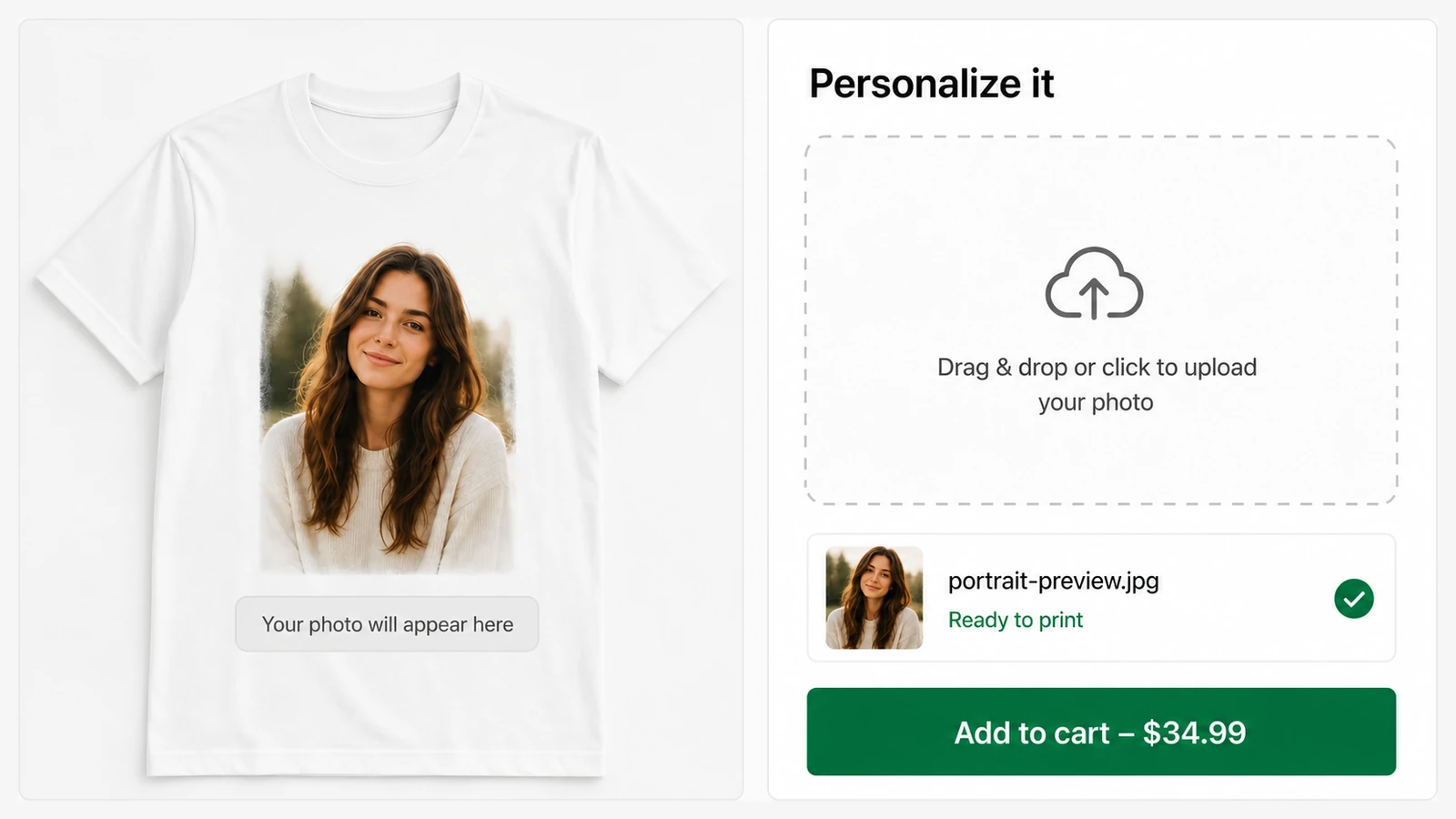
Image Personalizer lets buyers upload their own photo and see it placed on the product — live, before they add to cart. They get to picture the finished thing in their hands, which is exactly what gives them the confidence to buy.
It's the photo member of the personalization family: prefer letting buyers type a name or message? That's text personalization; just their initials? The monogram maker. Every uploaded photo arrives with its order in your personalized orders page.
What your customer sees
On the product page, the shopper uploads a photo — by clicking or dragging it in, on desktop or phone — and it appears on the product image right away. They can nudge and crop it to fit, and if it helps, remove the background with a single tap so just the subject shows. Try it live on the acrylic photo print in our demo store.
- Upload from any device — click-to-upload or drag-and-drop, works on mobile.
- Live preview — the photo is placed on the product instantly.
- Optional background removal — the customer previews it and chooses it before buying; nothing for you to set up, no extra account needed.
- Saved with the order — the photo lands with the order for your fulfillment team.
Where it earns its keep
Pet portraits, face socks, photo mugs, custom pillows, framed prints, memorial keepsakes — anything a customer's own picture makes meaningful. These are high-emotion, high-margin products, and the preview is what turns a maybe into a yes.
Setting it up
Describe it in plain English and Trooix builds it for your store. Then choose which products it applies to, set the upload size limit, and decide whether customers can crop their photo. Each uploaded image is saved with its order, so whoever makes the product has exactly the file they need.
Trooix builds it for you when you describe it. Want a specific photo area or shape? Describe it in plain English and Trooix adjusts it for you.
Questions, answered
What is photo personalization?
It lets customers upload their own photo and see it on the product before buying, with optional one-tap background removal — perfect for pet portraits, photo mugs, and custom prints.
Do customers need to edit their photo first?
No. They can crop and position it right on the product page, and remove the background with a single tap if it helps.
What is Trooix?
Trooix is a Shopify app that builds the store feature you need — no developer. Describe what you want in plain English and Trooix builds it for your store, then tweak it by describing the change.
Add Trooix to Your Shopify Store
Get the exact feature your store needs — describe it in plain English and Trooix builds it for you. Install Trooix from the Shopify App Store — free to install, runs inside your Shopify admin, no developer needed.