
Checkout Upsell: Offer One More Product the Moment They Buy
TrooixA shopper just bought from you. Their card is out, they're feeling good about the purchase, and the thank-you page is loading. That's the single best moment in the whole trip to say "you might also like this" — and most stores let it pass in silence.
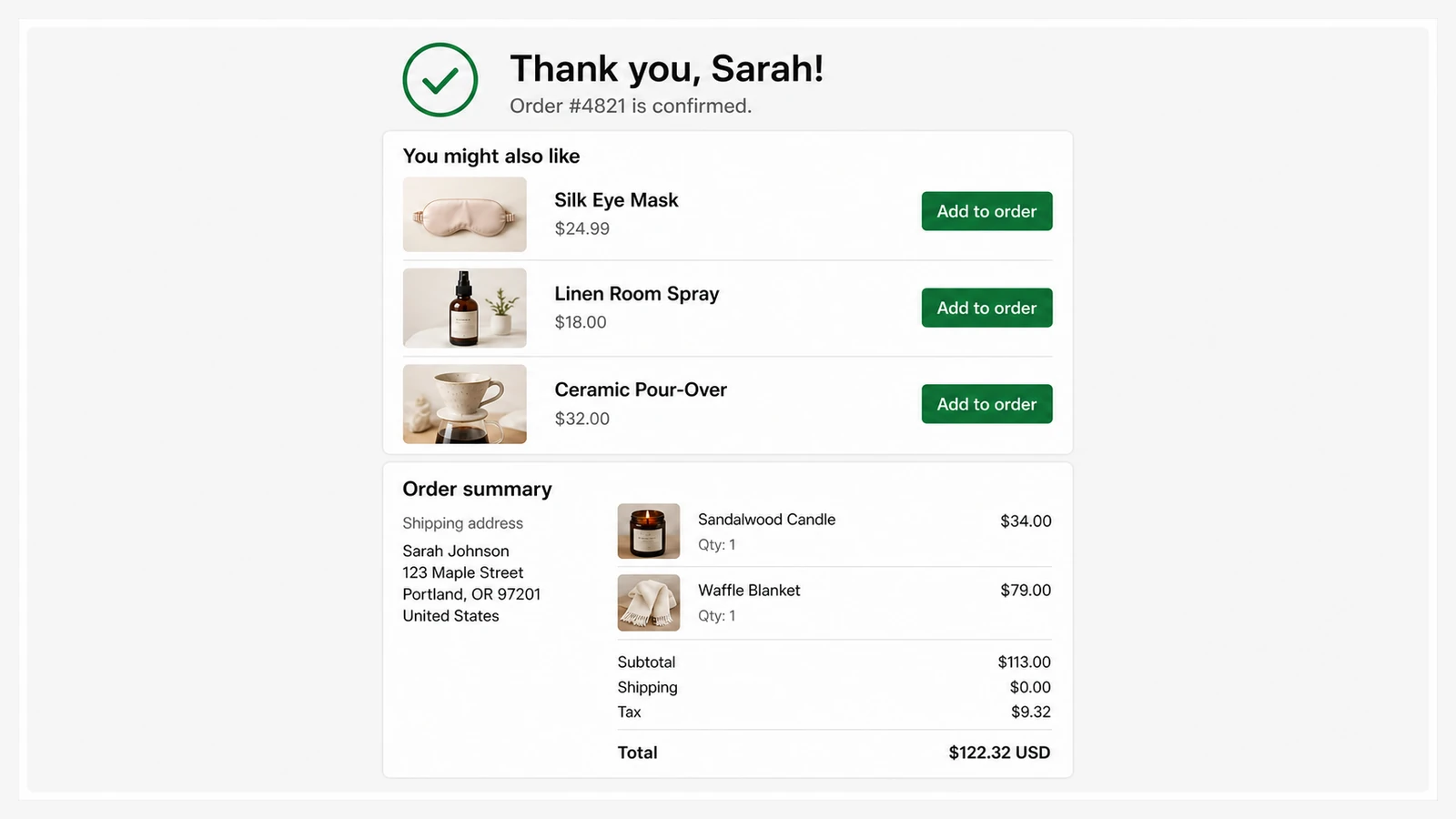
Thank-You Upsell — a checkout upsell that shows on your thank-you page — puts one more offer right after the order goes through. No interruption to the sale they already made, no risk of losing the cart — just a friendly nudge at the moment they're most likely to say yes.
It's one of two easy ways to lift the value of a sale: this one adds a second purchase after checkout, while a checkbox upsell lets shoppers add a matching item before they buy. And to grow the value of each product itself, you can let customers customise it with product text personalization.
What your customer sees
Once their order is placed, a tidy card appears on the thank-you page suggesting a product that pairs well with what they bought. If they like it, one tap takes them straight to checkout to grab it — a quick, separate purchase that won't disturb the order they just completed. You can walk the whole flow on our live demo store.
- Shown at the highest-intent moment — they've already decided to buy from you.
- One tap to buy — the button takes them straight to checkout for the add-on.
- Add a discount if you want — a small "thanks for ordering" offer to sweeten it.
Where it earns its keep
Sell coffee? Suggest the grinder. Sell a dress? Suggest the matching clutch. Sell anything with a natural companion, and Thank-You Upsell turns a finished sale into two — without you lifting a finger after setup.
Setting it up
Describe it in plain English and Trooix builds it for your store. Then pick the products you'd like to suggest and how many to show, and write the line of text that sits above them. That's it — it goes live on your thank-you page, and you can change the products or the wording any time without touching your theme.
It's a feature Trooix builds for you when you describe it. And if you want it to behave a little differently, just describe the change in plain English and Trooix adjusts it for you.
Questions, answered
How does the Thank-You Upsell work?
After a customer's order goes through, a product suggestion appears on the thank-you page. If they tap it, they're taken straight to checkout to buy it as a quick, separate purchase — the order they just placed isn't affected.
Do I need a developer to set it up?
No. You describe what you want in plain English and Trooix builds it — no code, no theme editing. You pick the products to suggest, and it goes live on your thank-you page.
What is Trooix?
Trooix is a Shopify app that builds the store feature you need — no developer. Describe what you want in plain English and Trooix builds it for your store, then tweak it by describing the change.
Add Trooix to Your Shopify Store
Get the exact feature your store needs — describe it in plain English and Trooix builds it for you. Install Trooix from the Shopify App Store — free to install, runs inside your Shopify admin, no developer needed.