
Stock Alerts: Catch Low Inventory Before It Sells Out
TrooixThe worst time to learn a best-seller is out of stock is when a customer tells you. By then you've already lost the sale — and probably a few before it. Inventory runs low quietly, in the background, while you're busy running everything else.
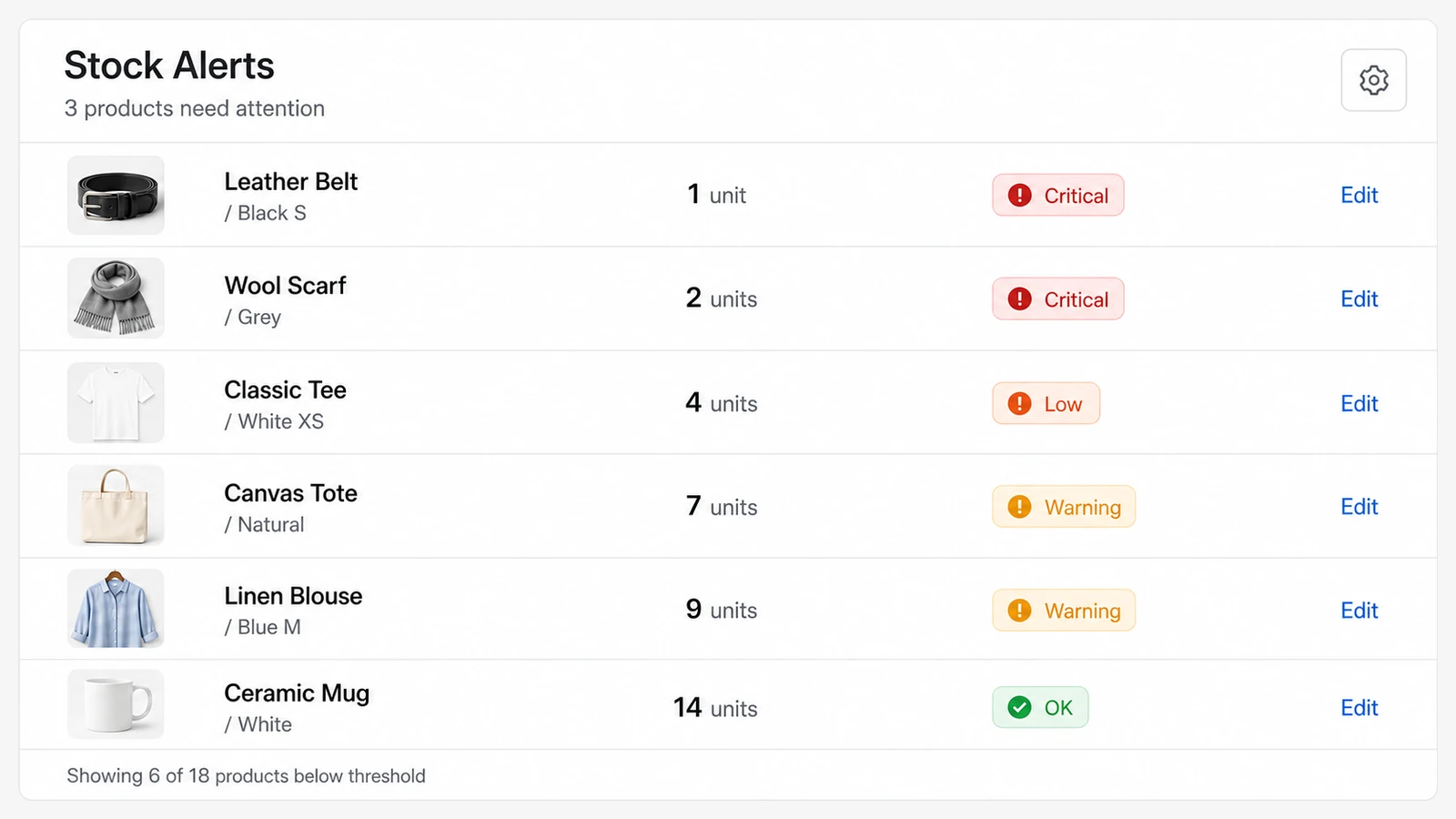
Stock Alerts puts a clear, colour-coded warning right on your dashboard the moment a product dips below the level you set. You see what's running low at a glance, so you can reorder before it sells out — not after.
It pairs naturally with bulk editing your products — spot what's low here, then retag or restock a whole group in one pass. And keeping your best-sellers on the shelf means every visit counts, which is exactly what a Thank-You Upsell helps you make the most of — you can see that upsell running on our live demo store.
What you see
A card on your dashboard lists the products getting low, sorted so the most urgent ones jump out. Each is colour-coded by how close it is to gone, so a single glance tells you what needs attention today versus what can wait.
- At-a-glance urgency — critical, warning, and low are colour-coded.
- Your levels, your call — set the thresholds that make sense for your store.
- Straight to the fix — jump to the product to update stock or reorder.
Where it earns its keep
If you carry products that move fast, run limited batches, or simply can't afford to disappoint repeat buyers, this is the quiet safety net that keeps your shelves stocked and your sales flowing. No spreadsheet checks, no nasty surprises.
Setting it up
Describe it in plain English and Trooix builds it for your store. Then set two numbers: the level where a product is "getting low" and the level where it's "critical." The card appears on your dashboard right away and updates itself — no maintenance from you.
Trooix builds it for you when you describe it. Want alerts only for certain products, or a different way of sorting them? Describe it in plain English and Trooix adjusts it for you.
Questions, answered
What are low stock alerts?
They're colour-coded warnings on your dashboard that show which products are running low, so you can reorder before they sell out.
Can I choose when a product counts as low?
Yes. You set your own warning and critical levels, and the card updates itself automatically — no spreadsheet checks.
What is Trooix?
Trooix is a Shopify app that builds the store feature you need — no developer. Describe what you want in plain English and Trooix builds it for your store, then tweak it by describing the change.
Add Trooix to Your Shopify Store
Get the exact feature your store needs — describe it in plain English and Trooix builds it for you. Install Trooix from the Shopify App Store — free to install, runs inside your Shopify admin, no developer needed.